FACEIT CS2 - Player Guide, Ranking, Elo and Anti-Cheat
 •
•
What is FACEIT CS2?
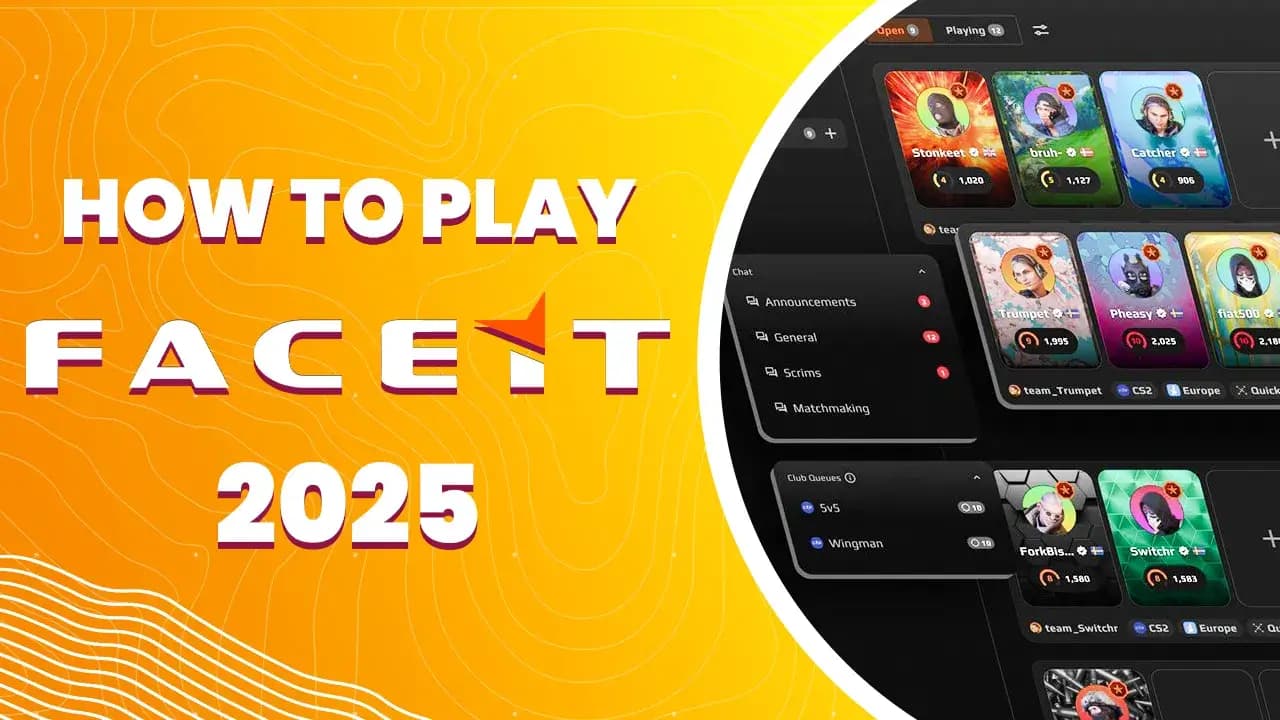
FACEIT CS2 is a third-party matchmaking platform for Counter-Strike 2 players that lets you play ranked matches outside Valve’s standard Premier and Competitive systems. For many players, FACEIT is where more serious CS2 begins: a higher level of competition, stronger focus on communication, an Elo system, leagues, hubs, tournaments, and a more demanding competitive environment.
In simple terms, FACEIT CS2 is an alternative to Premier Mode, but it does not work in exactly the same way. Instead of CS Rating, which is used inside CS2, FACEIT uses its own Elo system and skill levels from 1 to 10. A player’s level depends on their Elo points, and matches are designed to connect players of a similar skill level. According to official FACEIT materials, Elo starts at 100 and can grow without a fixed upper limit, while skill levels are directly linked to Elo ranges.
From our expert perspective, FACEIT CS2 makes the most sense for players who want to play more consciously: with better communication, regular practice, analysis of their own mistakes, and more responsibility for every round.
Is FACEIT worth playing in CS2?
Yes, FACEIT is worth playing in CS2 if you want a more competitive experience than regular matchmaking. FACEIT often attracts players who are more focused on winning, know basic utility, communicate better, and take economy, rotations, and tactics more seriously.
That does not mean every beginner should immediately move to FACEIT. If you are still learning maps, recoil, callouts, and basic economy, Premier or Competitive may be a calmer place to start. FACEIT punishes mistakes faster, and players often expect a certain level of communication.
FACEIT makes sense if:
- You know the basic maps.
- You can communicate enemy positions.
- You understand round economy.
- You want to measure progress through Elo.
- You want to play against more engaged players.
- You have stable settings and hardware.
- You are not discouraged by a harder start.
- You want to treat CS2 more like structured practice.
FACEIT may be a weaker choice if:
- You play completely casually.
- You do not know callouts.
- You do not use a microphone.
- You tilt quickly after lost rounds.
- You are still learning CS2 fundamentals.
- You do not want to install Anti-Cheat.
- You have technical problems with your PC.
- You dislike a more demanding environment.
FACEIT CS2 vs Premier Mode - what is the difference?
FACEIT and Premier Mode have a similar goal: matching players into ranked games. However, they differ in ranking system, community, technical requirements, and competitive structure.
Premier Mode is built directly into CS2. You do not need an external platform, a separate client, or an additional account. It is the simplest way to play ranked CS2.
FACEIT works outside Valve’s system. It requires a FACEIT account, a connected Steam account, often the FACEIT Anti-Cheat client, and playing through the platform. In return, you get a separate Elo system, levels, leagues, hubs, tournaments, and a more developed competitive environment.
The key differences:
- Premier uses CS Rating, FACEIT uses Elo and levels.
- Premier is built into the game, FACEIT is an external platform.
- FACEIT relies more on player profiles and match history.
- FACEIT can offer additional match types, such as Super Match and Premium Match.
- FACEIT has its own rules, penalties, report system, and requirements.
- Premier is better for a simple start, FACEIT is better for more serious competition.
How to start playing FACEIT CS2
To start playing FACEIT CS2, you need a FACEIT account, a Steam account with CS2, a connected Steam profile, and you must meet the platform’s requirements. For new registrations, Prime Status in CS2 is also important. FACEIT’s official support materials state that all new CS2 registrations require Prime Status, and if the system does not detect Prime despite you having it, playing a Premier match may help refresh the status.
How to start:
- Create a FACEIT account.
- Log in to the correct Steam account.
- Make sure CS2 is available on that account.
- Check whether you have Prime Status in CS2.
- Set your Steam profile and game details to public if the platform requires it.
- Connect your Steam account to FACEIT.
- Add CS2 to your FACEIT profile.
- Download and launch FACEIT Anti-Cheat if required.
- Go to CS2 matchmaking on FACEIT.
- Choose a match type and start queueing.
The most important rule: use the same Steam account that is connected to FACEIT. If you try to play from a different Steam account than the one assigned to your profile, you may have problems joining matches.
Common Steam and FACEIT connection problems
Problems with connecting Steam to FACEIT are common, especially for new players. They are usually caused by a private Steam profile, lack of Prime Status, using the wrong Steam account, or a situation where the Steam ID is already connected to another FACEIT account.
FACEIT describes several common errors related to connecting a CS2 Steam ID. If the system says your profile does not own the game or your privacy settings are not public, you should go to Steam privacy settings and make your profile and game details public. If you see a message about missing Prime, new registrations require CS2 Prime Status.
Check these things:
- Whether you are logged into the correct Steam account.
- Whether the Steam account owns CS2.
- Whether the account has Prime Status.
- Whether the Steam profile is public.
- Whether Steam game details are public.
- Whether the Steam ID is already connected to another FACEIT account.
- Whether you are trying to add the same Steam account to multiple FACEIT profiles.
- Whether FACEIT Anti-Cheat is working properly.
If the Steam ID is already assigned to another FACEIT account, you usually need to recover the old account or contact support.
How does FACEIT Elo work in CS2?
FACEIT Elo is the number that represents your level on the platform. You win matches - you gain Elo. You lose matches - you lose Elo. The number of points can depend on your team’s predicted chance of winning. FACEIT explains that Elo changes are connected with the perceived chance of your team winning the match.
FACEIT CS2 levels are linked to Elo ranges:
- Level 1 - 100-500 Elo.
- Level 2 - 501-750 Elo.
- Level 3 - 751-900 Elo.
- Level 4 - 901-1050 Elo.
- Level 5 - 1051-1200 Elo.
- Level 6 - 1201-1350 Elo.
- Level 7 - 1351-1530 Elo.
- Level 8 - 1531-1750 Elo.
- Level 9 - 1751-2000 Elo.
- Level 10 - 2001+ Elo.
- Challenger - top 1000 players on level 10.
What does level 10 mean on FACEIT?
Level 10 on FACEIT means that a player has reached more than 2001 Elo. It is the highest standard level on the platform and the point where matches become much more demanding. It does not automatically mean professional level, but it is a clear sign that the player understands CS2 much better than the average user.
Level 10 usually means:
- Better map knowledge.
- More stable aim.
- Better communication.
- Stronger economy awareness.
- Better utility usage.
- Fewer random decisions.
- Better understanding of round tempo.
- Higher mental pressure in matches.
It is important to remember that level 10 is a very wide category. A player with 2050 Elo and a player with 3500 Elo can both be level 10, but the difference between them can be huge.
What is FACEIT Rating?
FACEIT Rating is an additional indicator that evaluates your individual performance in a match. It does not replace Elo, but it gives more context about how well you are actually playing at your level. FACEIT explains that FACEIT Rating helps answer questions about your contribution, whether you are playing at your expected level, and whether you may be likely to climb if you maintain similar performance.
Important: in Season 8, FACEIT Rating does not affect Elo or matchmaking. It helps understand performance, but it does not change how much Elo you gain or lose, and it does not affect who you are matched with.
In practice, FACEIT Rating can be useful if:
- You want to evaluate round impact, not only K/D.
- You often play entry but do not always have the best stats.
- You want to check whether you are really playing above your level.
- You analyze your form from recent matches.
- You want to better understand whether losses are your fault or a team-wide issue.
FACEIT Anti-Cheat in CS2
FACEIT Anti-Cheat is one of the most important parts of the platform. Its goal is to make cheating harder and increase trust in matches. The FACEIT Anti-Cheat client is available for Windows 10 and Windows 11.
In practice, Anti-Cheat may require additional system settings such as Secure Boot, TPM 2.0, UEFI, and in some cases other hardware-level security features. FACEIT describes Secure Boot as a BIOS feature that helps prevent malicious software from launching during system startup, and states that Secure Boot is required for players on Windows 10 and 11.
TPM 2.0 is also required for Windows 10 and 11 users according to FACEIT support materials. FACEIT also notes that enabling TPM 2.0 may require UEFI BIOS mode.
Is FACEIT Anti-Cheat safe?
FACEIT Anti-Cheat is a security tool for the platform and works at a deeper system level than a normal app. That is why some players have questions about privacy, performance, and system requirements.
In its Windows security requirements FAQ, FACEIT explains that the Anti-Cheat verifies the integrity of the boot chain and system memory. Requirements such as TPM 2.0, Secure Boot, IOMMU, and VBS are designed to make cheap and common cheating methods harder to use, including vulnerable drivers, EFI-based cheats, and DMA devices. FACEIT also notes that no Anti-Cheat blocks every cheat before it can affect matches, but these requirements increase the cost and difficulty of creating cheats.
From a player’s perspective, the two most important rules are:
- Download Anti-Cheat only from the official FACEIT website.
- Do not change BIOS or UEFI settings if you do not understand what you are doing.
FACEIT itself warns that BIOS changes are made at your own risk, and if you are not experienced, it is better to contact a professional.
How to prepare your PC for FACEIT CS2
Before starting, make sure your PC is technically ready. FACEIT can be more demanding than simply launching CS2, because apart from the game itself, you also need the platform client, Anti-Cheat, and system security requirements.
Checklist:
- Update Windows.
- Update GPU drivers.
- Make sure CS2 runs smoothly.
- Check whether you have Prime Status.
- Set your Steam profile to public while connecting.
- Download FACEIT Anti-Cheat from the official source.
- Check Secure Boot if Anti-Cheat requires it.
- Check TPM 2.0 if you receive a message about it.
- Close suspicious or conflicting background programs.
- Test one match before an important session.
Do not launch FACEIT for the first time five minutes before a planned match with friends. If there is a problem with Anti-Cheat, Secure Boot, or account connection, you may lose time and receive a penalty for failing to join a match.
Standard Match, Super Match and Premium Match
FACEIT CS2 has different match types. Standard Match is the basic type available for free players and subscribers, without restrictions related to party size or party Elo difference. This is how FACEIT describes it in its CS2 match type FAQ.
Super Match is a more advanced matchmaking system for subscribers, with more control over match parameters such as party composition, skill rating differences, and player experience. FACEIT describes Super Match as a system for users who want higher competitive standards.
Premium Match has a higher entry requirement. According to FACEIT, it requires a subscription, verification, Veteran status, and is available in EU and NA regions. Premium Match is designed for more verified and experienced players.
In practice:
- Standard Match - best starting point for most players.
- Super Match - for players who want better conditions and have a subscription.
- Premium Match - for verified, experienced subscribers in supported regions.
- Hubs - for players looking for specific communities or rules.
- Tournaments - for players who want to compete outside regular matchmaking.
Is FACEIT Premium worth it?
FACEIT Premium or a Plus subscription can make sense if you play regularly and care about extra features, better matchmaking control, and access to specific match types. However, it is not required to start playing FACEIT.
Premium makes sense if:
- You play FACEIT several times per week.
- You want more advanced matchmaking options.
- You care about extra statistics.
- You want a more controlled environment.
- You already have a stable level of play.
- You are not a complete beginner.
Premium may not make sense if:
- You are only testing FACEIT.
- You play rarely.
- You do not know maps and callouts yet.
- You will not use the extra features.
- Your main problem is fundamentals, not matchmaking.
My expert opinion: play a dozen or so regular FACEIT matches first, and only then decide whether Premium is worth it. A subscription will not improve your aim, grenades, or communication. It may improve comfort, but the fundamentals still depend on you.
What is the first FACEIT CS2 match like?
The first FACEIT match can be stressful because the pace and expectations are often higher than in regular matchmaking. You do not need to play perfectly. The most important things are to communicate, avoid trolling, play with the team, and complete simple tasks.
Before your first match:
- Check your microphone.
- Launch Anti-Cheat earlier.
- Close programs that may cause lagging or stutters.
- Set the correct resolution and sensitivity.
- Do a short warm-up.
- Prepare for map veto.
- Do not leave after losing the pistol round.
- Play simply and focus on trade frags.
In your first matches, top fragging is not the most important thing. It is more important not to give away free kills, to share information, and to follow the team’s plan.
How to improve Elo on FACEIT
You improve Elo mainly by winning matches, but winning is the result of many small things: communication, stable aim, good utility, economy, mental control, and mid-round decisions. It is not enough to play a lot. You need to play with a plan.
Best way to climb:
- Play fewer matches, but with higher quality.
- Warm up before queueing.
- Learn 3-5 basic smokes on every map you play.
- Use your microphone.
- Do not argue after two lost rounds.
- Play for trade frags.
- Write down your most common mistakes.
- Analyze lost rounds, not only the final score.
- Do not queue another match after heavy tilt.
- Practice specific elements, not “everything at once”.
FACEIT rewards consistency. If one day you play calmly and as a team, but the next day you tilt and push alone, your Elo will stay in place.
Most important skills for FACEIT CS2
FACEIT requires stronger fundamentals than casual matchmaking. Aim is important, but aim alone is not enough, especially at higher levels.
The most important skills:
- Crosshair placement.
- Counter-strafing.
- Trade fragging.
- Communication.
- Map knowledge.
- Basic smokes and flashes.
- Post-plant play.
- Retakes.
- Economy.
- Mental strength.
At lower levels, good aim and basic communication may often be enough. At higher levels, decisions matter more and more: when to speed up, when to slow down, when to save, when to retake, and when to give up a round.
FACEIT solo queue - how to play alone
Solo queue on FACEIT can be difficult, but climbing alone is possible. The key is to be a stable teammate. You cannot control random players, but you can control your own communication, utility, trade fragging, and mental approach.
Solo queue rules:
- Speak briefly and clearly.
- Do not insult teammates after mistakes.
- Suggest simple plans.
- Do not expect perfect teamplay from randoms.
- Play for trades.
- Watch the minimap.
- Do not bait without purpose.
- Do not give away the first kill for free.
- If the team has no plan, suggest the simplest one.
- Take a short break after a lost match.
A good solo queue player does not need to be the leader every round. But they should reduce losses, use enemy mistakes, and avoid adding chaos to the team.
FACEIT with a team - is it easier to win?
Playing with a regular stack can be much easier if the team communicates well and has similar goals. A stable team lets you build simple tactics, roles, and better trade fragging. The problem appears when friends play without discipline or when everyone has different skill levels and expectations.
Playing with friends helps if:
- You have a similar level.
- You know the same maps.
- You use microphones.
- You have basic tactics.
- You do not tilt at each other.
- You can accept criticism.
- You define roles.
- You practice specific things.
It can hurt if:
- The Elo difference is very large.
- One player always trolls.
- Nobody wants to use utility.
- Everyone plays only for stats.
- Arguments start after lost rounds.
Most common mistakes on FACEIT CS2
The most common FACEIT mistakes are not only about weak aim. They often come from poor mentality, lack of communication, and unnecessary risk.
Common mistakes:
- Playing without warm-up.
- Not using a microphone.
- Tilting after the first rounds.
- Solo pushing on CT side.
- No trade frags.
- No basic smokes.
- Rotating too quickly.
- Forcing without a plan.
- Arguing with teammates.
- Queueing again after a loss streak.
- Blaming only teammates.
- Not analyzing your own mistakes.
From our expert perspective, the biggest problem for FACEIT players is not lack of mechanics, but lack of consistency. One great match does not mean you are playing well. What matters is whether you make good decisions across 20, 50, and 100 matches.
How to practice for FACEIT CS2
FACEIT practice should be more specific than simply playing deathmatch. You need mechanics, utility, map knowledge, and better decision-making.
Good practice plan:
- 10 minutes of aim map.
- 10-15 minutes of deathmatch.
- 10 minutes of retake.
- Learn one new smoke or flash.
- Play one or two FACEIT matches.
- Do a short review of your worst rounds.
- Write one note: what to improve tomorrow.
You do not need to train 5 hours every day. It is better to practice regularly and consciously than to play 8 matches in a row while tilted.
What maps should you play on FACEIT CS2?
The best maps to play are the ones you know well and where you can give value to your team. It is not only about liking the map. You need to know callouts, rotations, basic smokes, and typical enemy positions.
Start with 3-4 maps and learn them well. For example:
- Mirage - good for learning basic mid control.
- Inferno - strongly teaches utility and space control.
- Ancient - important in the current competitive style.
- Nuke - harder, but very valuable tactically.
- Anubis - good for learning fast decisions and retakes.
- Dust2 - simple structure, but requires strong duels.
Do not pretend you know every map. On FACEIT, it is better to have a smaller map pool and know it well.
Is FACEIT good for beginners?
FACEIT can be difficult for beginners. It is not impossible, but it is usually better to join after learning CS2 fundamentals. If a new player starts with FACEIT immediately, they may quickly face criticism, faster pace, and more demanding opponents.
Before playing FACEIT, a beginner should know how to:
- Shoot basic AK-47 and M4 patterns.
- Use the most important callouts.
- Use a microphone.
- Understand eco, force buy, and full buy.
- Play trade frags.
- Avoid running with the bomb without a plan.
- Know basic smokes.
- Understand when to save.
If you do not have these skills yet, it is better to first play Premier, deathmatch, retakes, and practice maps.
Is FACEIT better than Premier?
FACEIT can be better than Premier for players who want more serious competition, separate Elo, and a more advanced competitive environment. Premier is better for players who want a simpler system without additional tools.
FACEIT is better if:
- You want to play more competitively.
- You care about Elo.
- You want to face more engaged players.
- You like platforms with leagues and tournaments.
- You want to develop beyond Valve’s system.
Premier is better if:
- You want to play without an external platform.
- You are just starting.
- You play more casually.
- You do not want to install Anti-Cheat.
- You want simple matchmaking inside the game.
For many players, the best approach is to use both: Premier for lighter games and FACEIT for more serious sessions.
Expert opinion: who is FACEIT CS2 for?
FACEIT CS2 is for players who want more than regular matchmaking. It is not only about stronger opponents, but about a different approach to the game. On FACEIT, consistency, communication, mentality, and the ability to play simple, effective rounds matter more.
From our expert perspective, FACEIT is not a magic path to becoming a better player. It is an environment that shows your mistakes faster. If you learn from them, you will improve. If you only blame your team, you will stay in the same place.
FACEIT makes the most sense when you treat it as a development tool:
- You play less, but more carefully.
- You do a short warm-up.
- You analyze lost rounds.
- You learn utility.
- You care about communication.
- You do not play while tilted.
- You have a clear map pool.
- You measure progress long term, not after one match.
Summary
FACEIT CS2 is an external competitive platform that lets you play Counter-Strike 2 in a separate matchmaking system based on Elo and levels from 1 to 10. Level depends on Elo, and level 10 starts at 2001 points. The best level 10 players can fight for Challenger status in the top 1000.
To start, you need a FACEIT account, a connected Steam account, CS2, and for new registrations, Prime Status. You should also prepare your PC for Anti-Cheat, because FACEIT uses security requirements such as Secure Boot and TPM 2.0 for Windows 10 and 11 users.
FACEIT should be treated as a more demanding practice environment. Aim alone is not enough. You need communication, map knowledge, utility, mentality, and consistency. For beginners, Premier may be better at first, but for players who want to truly improve in CS2, FACEIT is one of the most important competitive platforms.
FAQ
What is FACEIT CS2?
FACEIT CS2 is a third-party matchmaking platform for Counter-Strike 2 with its own Elo system, levels, Anti-Cheat, hubs, leagues, and tournaments.
Is FACEIT CS2 free?
Yes, you can play FACEIT for free, but the platform also offers paid subscriptions and additional match types such as Super Match and Premium Match.
How does Elo work on FACEIT CS2?
Elo increases after wins and decreases after losses. FACEIT levels from 1 to 10 are directly linked to Elo ranges, and level 10 starts at 2001 Elo.
Do I need Prime Status for FACEIT CS2?
For new CS2 registrations on FACEIT, Prime Status is required. If FACEIT does not detect Prime correctly, playing a Premier match may help refresh the status.
Is FACEIT Anti-Cheat required?
In practice, you should be prepared to use FACEIT Anti-Cheat when playing CS2 on FACEIT. The client is available for Windows 10 and 11 and uses additional security requirements.
Is FACEIT better than Premier?
FACEIT is better for more engaged players who want separate Elo, tougher competition, and a more competitive environment. Premier is simpler and better for players who want to play without an external platform.
When should you start playing FACEIT?
You can start early, but it is best to move to FACEIT when you know basic maps, callouts, economy, recoil, and can use a microphone.
How do you rank up faster on FACEIT?
Play regularly, warm up, communicate, learn utility, analyze your own mistakes, and avoid queueing while tilted. Elo grows through wins, and wins come from repeatable good decisions.

I am an esports journalist deeply embedded in the global CS2 scene. With over 15 years of experience following the franchise, I specialize in breaking news, tournament coverage, and in-depth updates from Valve, ensuring you never miss a roster change or a critical patch note.